> For the complete documentation index, see [llms.txt](https://faqs.thorwallet.org/llms.txt). Markdown versions of documentation pages are available by appending `.md` to page URLs; this page is available as [Markdown](https://faqs.thorwallet.org/how-to-guides/restoring-wallet-with-a-seed-phrase.md).
# Restoring Wallet With A Seed Phrase
#### 1. Reinstalling the App
If you've deleted the app and are setting it up again, follow these steps to restore your wallet:
1. **Click on "Import Wallet"** when you reach the initial setup screen.
2. Follow the on-screen instructions in the app.
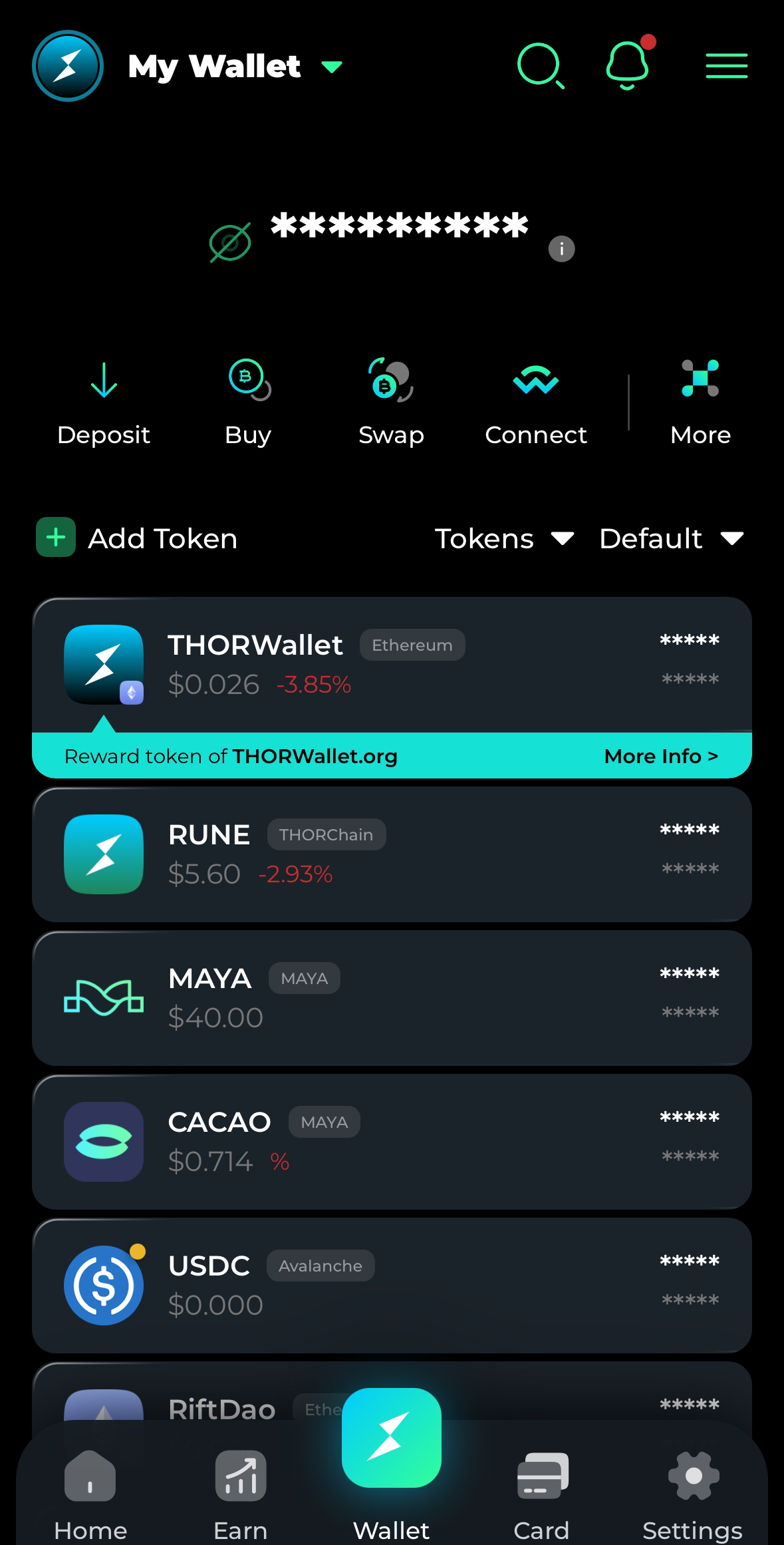
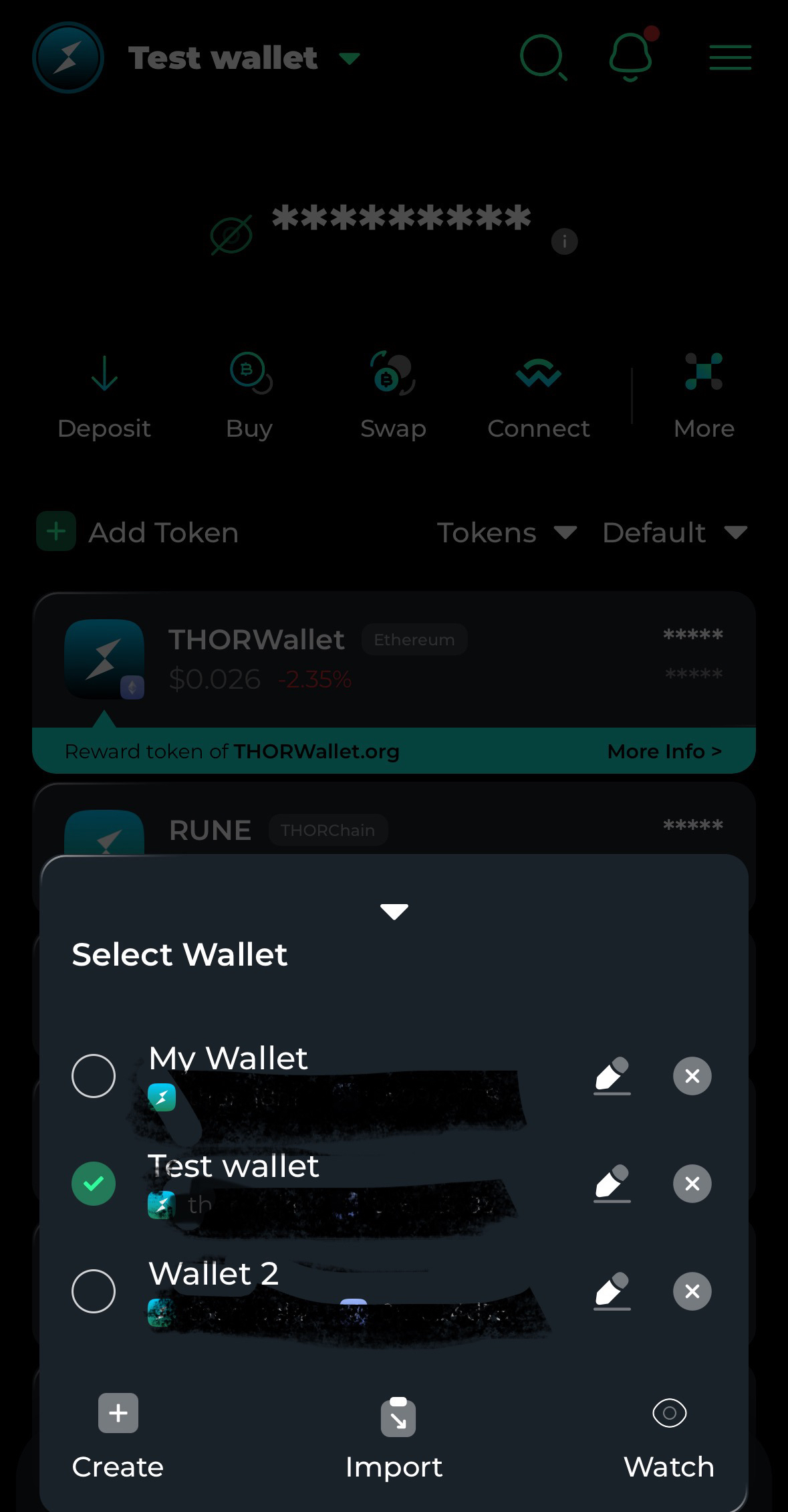
3. If you'd like to add multiple wallets (multiwallet feature), click on the **"Wallet Name"** (e.g., "My Wallet") at the top left of the page.
4. Select **"Import"**.
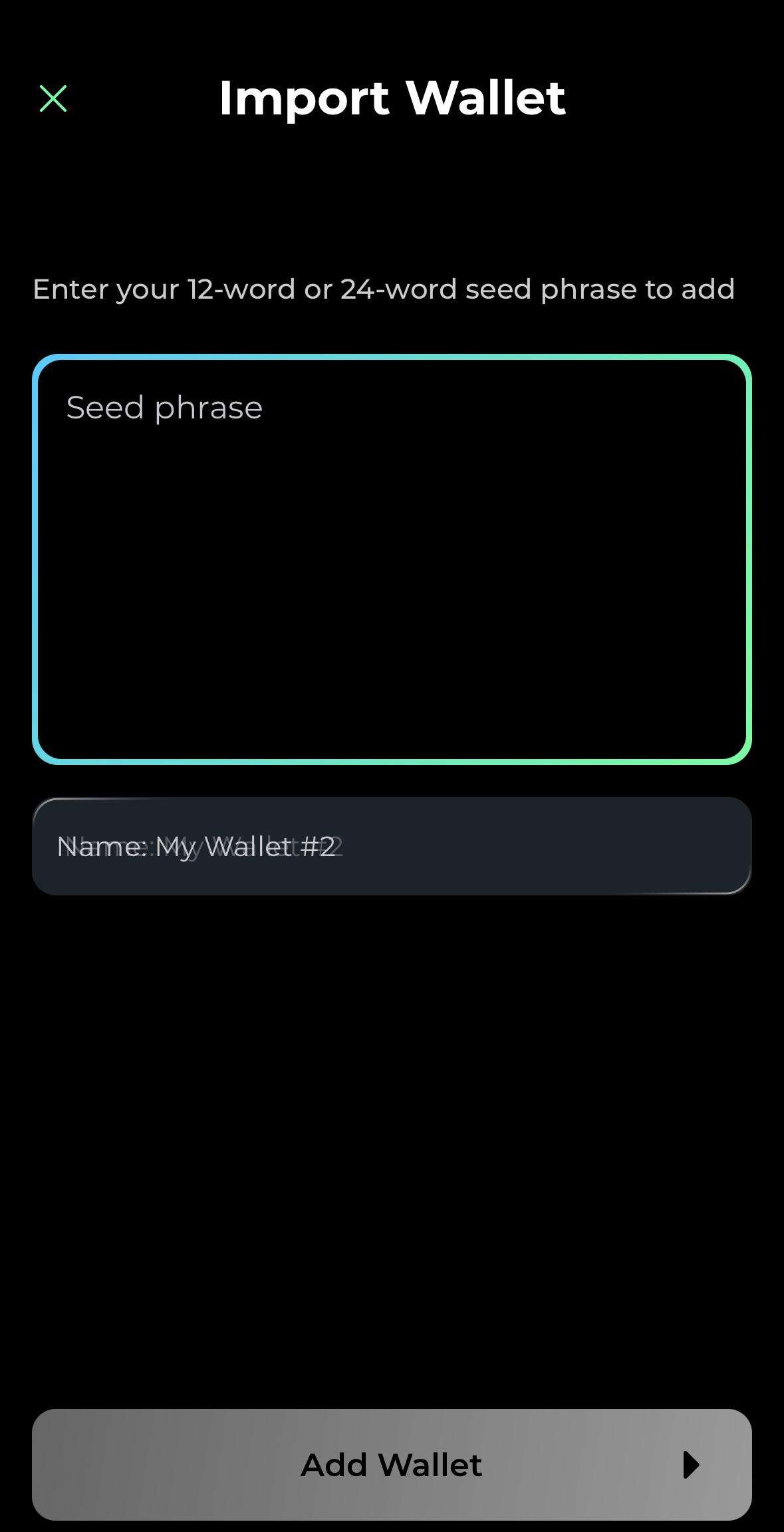
5. Enter your seed phrase on the next page and click **"Add Wallet"**.
6. Your wallet will now be restored and added to the app.
You can switch between wallets by clicking on the **Wallet Name/Icon** in the top left corner.
#### 2. Adding a Wallet (Multiwallet Feature)
If you already have a wallet in the app and want to import an additional one, follow these steps:
1. Click on the **Wallet Name** (e.g., "My Wallet") at the top left of the screen.
2. Select **"Import"**.
3. Enter your seed phrase and click **"Add Wallet"** to import it.
You can now switch between multiple wallets as needed.
{% hint style="info" %}
#### Important: Multiwallet Feature
The Multiwallet feature is a premium option available to users in the **Community** or **Community Plus** tiers. To learn more about the different tiers and their benefits, check out our [Tier Guide.](broken://pages/mqk3IguQCPv1tNbjzxVF)
If you're not in the **Community** or **Community Plus** tier, importing a new wallet will replace your existing wallet in the app.
{% endhint %}
***