> For the complete documentation index, see [llms.txt](https://faqs.thorwallet.org/llms.txt). Markdown versions of documentation pages are available by appending `.md` to page URLs; this page is available as [Markdown](https://faqs.thorwallet.org/how-to-guides/how-to-create-a-keystore-wallet.md).
# How to create a keystore wallet?
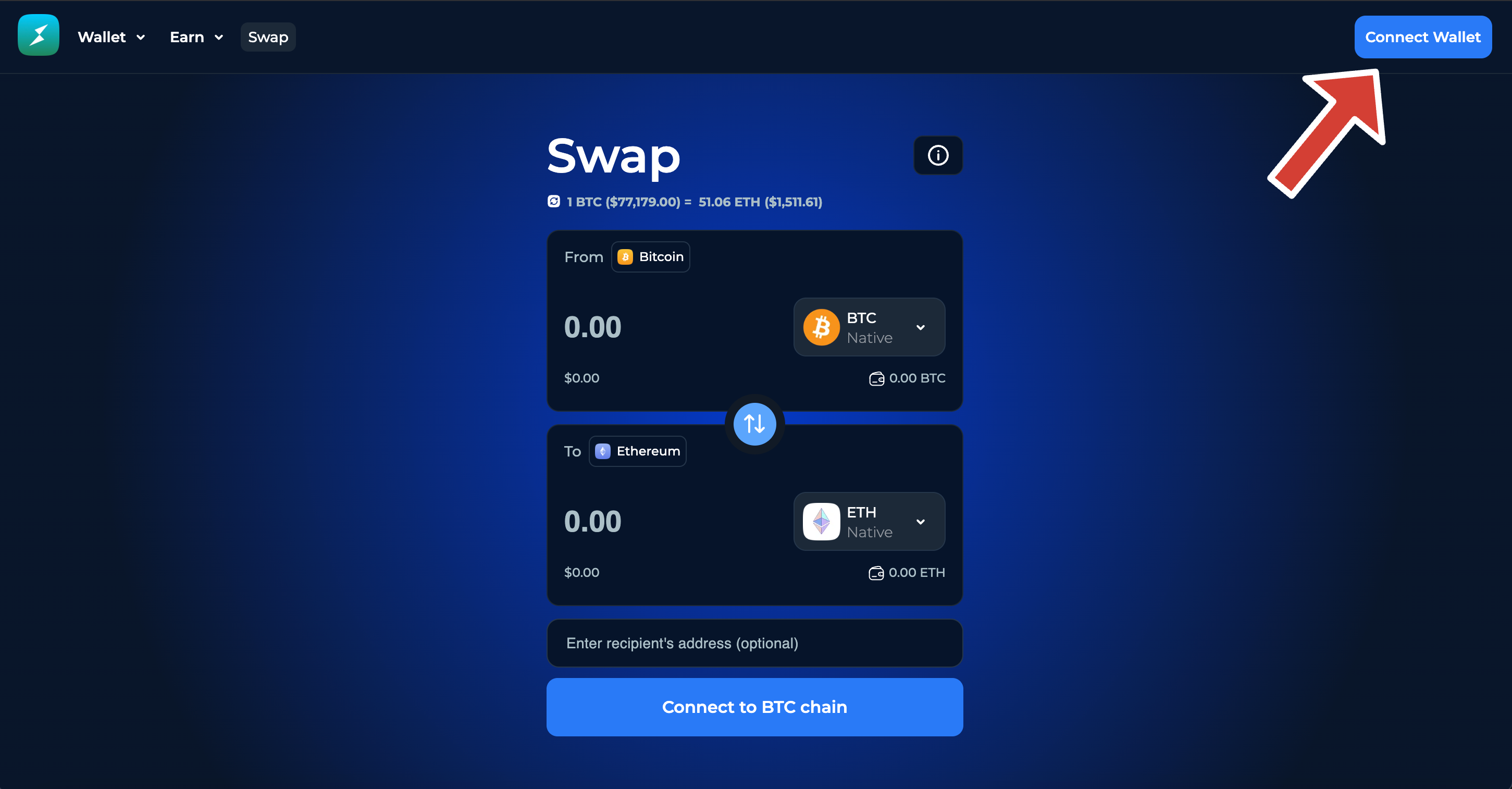
#### Go to the thorwallet [web app ](https://app.thorwallet.org/)and click connect on the top right corner.
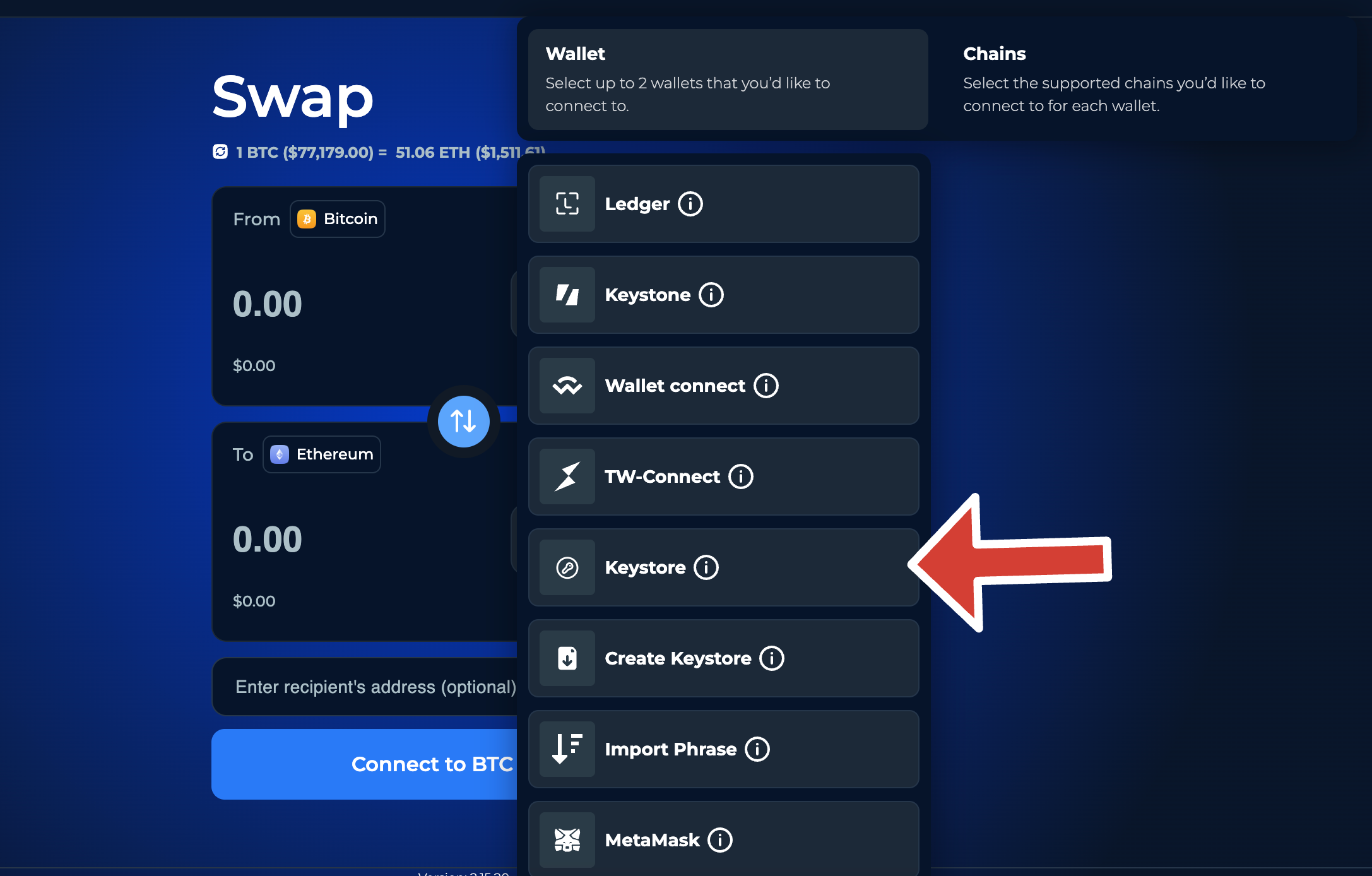
#### Select **"Create Keystore"** dropdown menu.
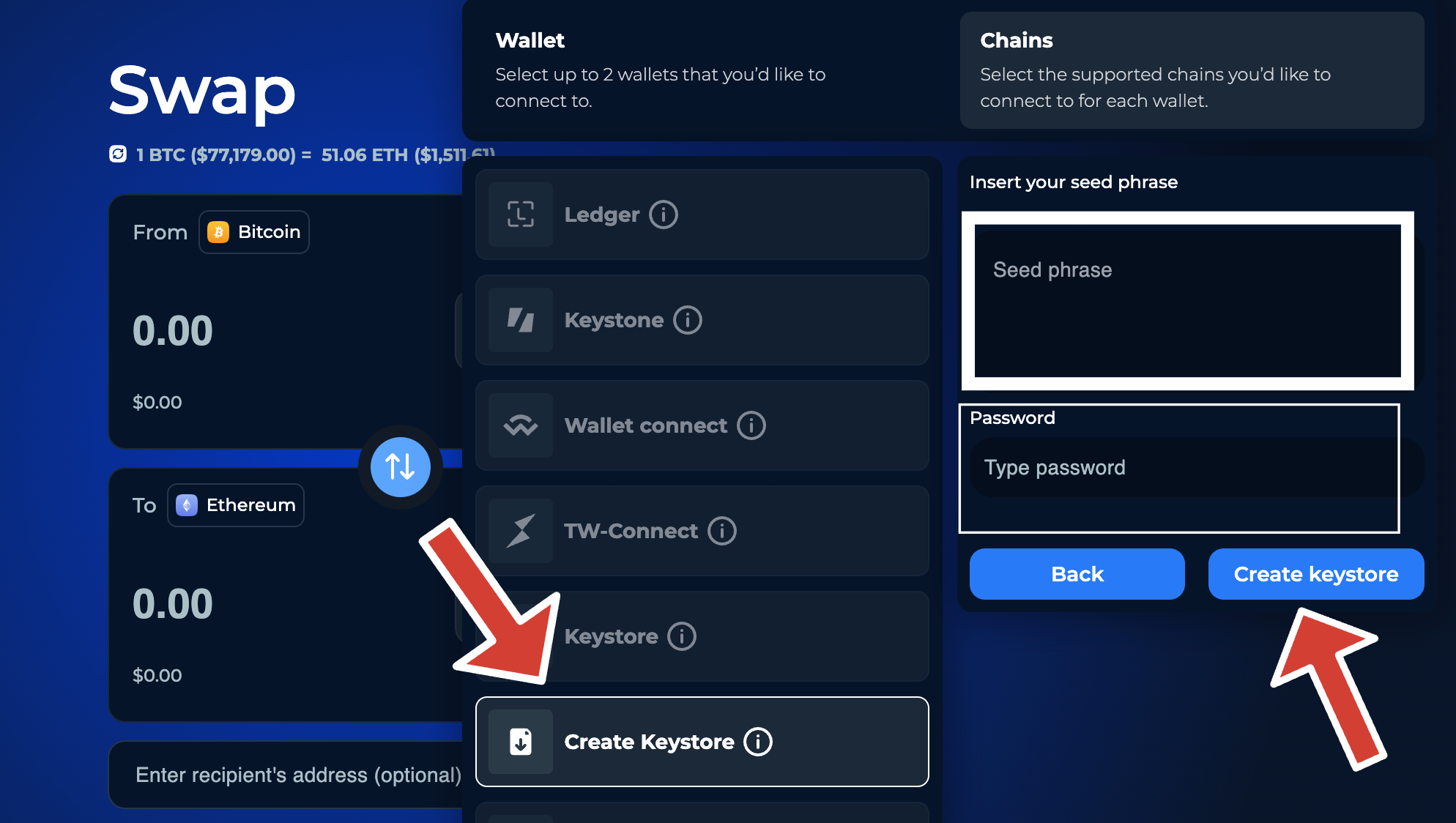
#### Enter your wallet's seed phrase and create a password for the keystore file.
and then click on **Create Keystore.**
#### Save the **Keystore file** (we recommend you to save it in a flash drive)
Your keystore wallet/file has been created. You can now connect it to the web app and seamlessly access all of its features using the keystore file/wallet.
## Connecting a Keystore Wallet
1. Go to the THORWallet [web app ](https://app.thorwallet.org/)and click connect on the top right corner.
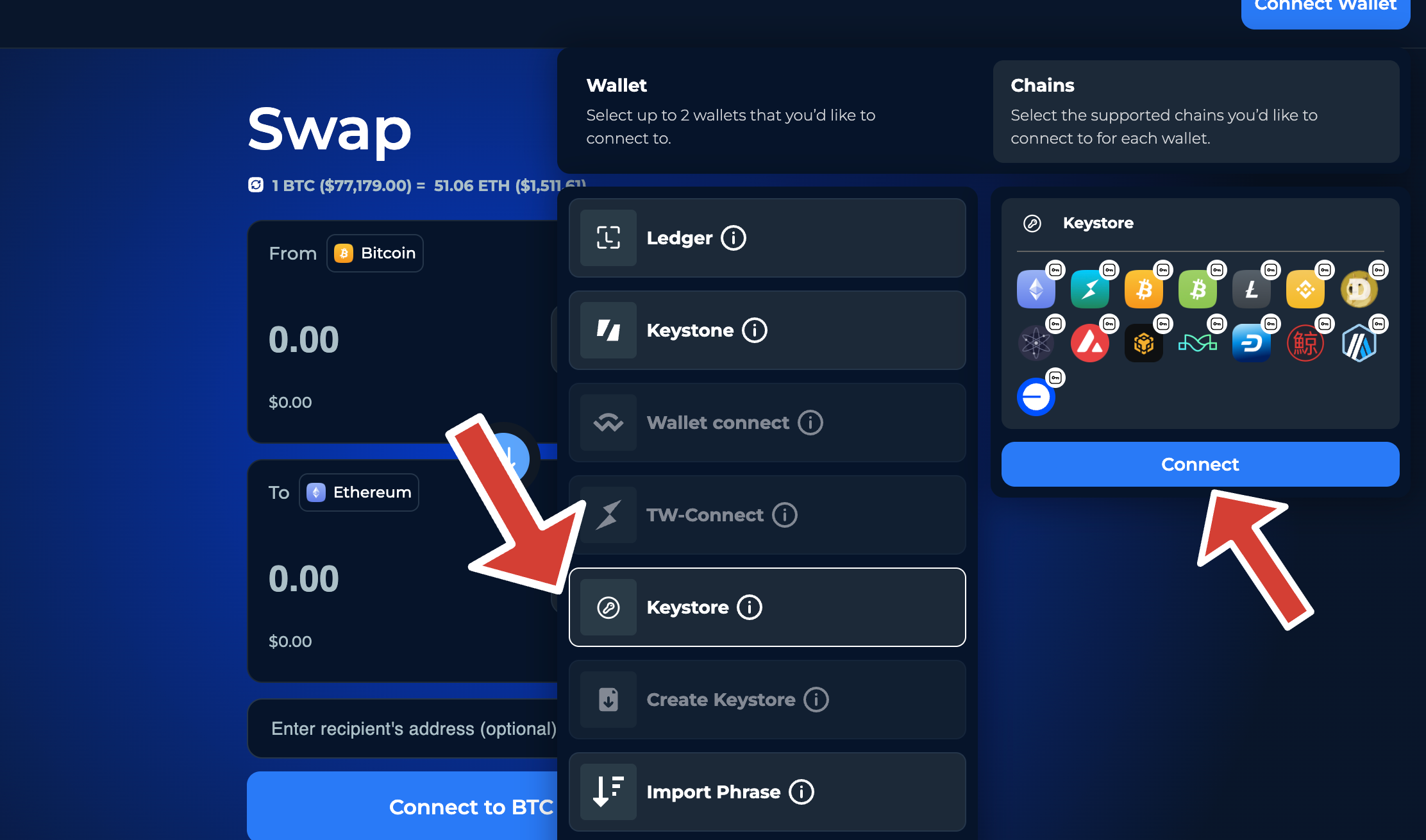
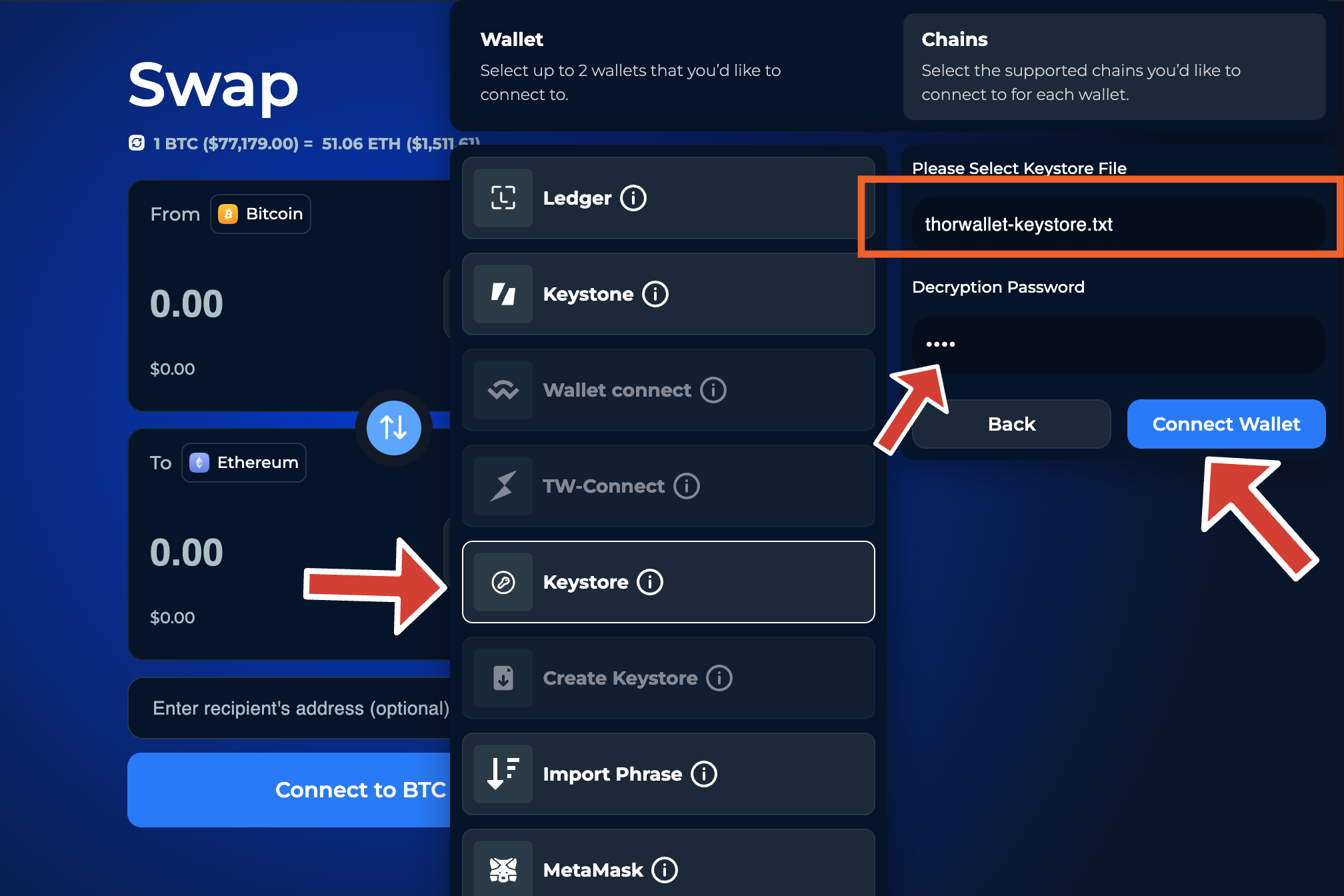
2. Select keystore as the wallet connection type and then click on **Connect**.
#### Select the keystore file enter the keystore wallet password and then click **"Connect Wallet".**
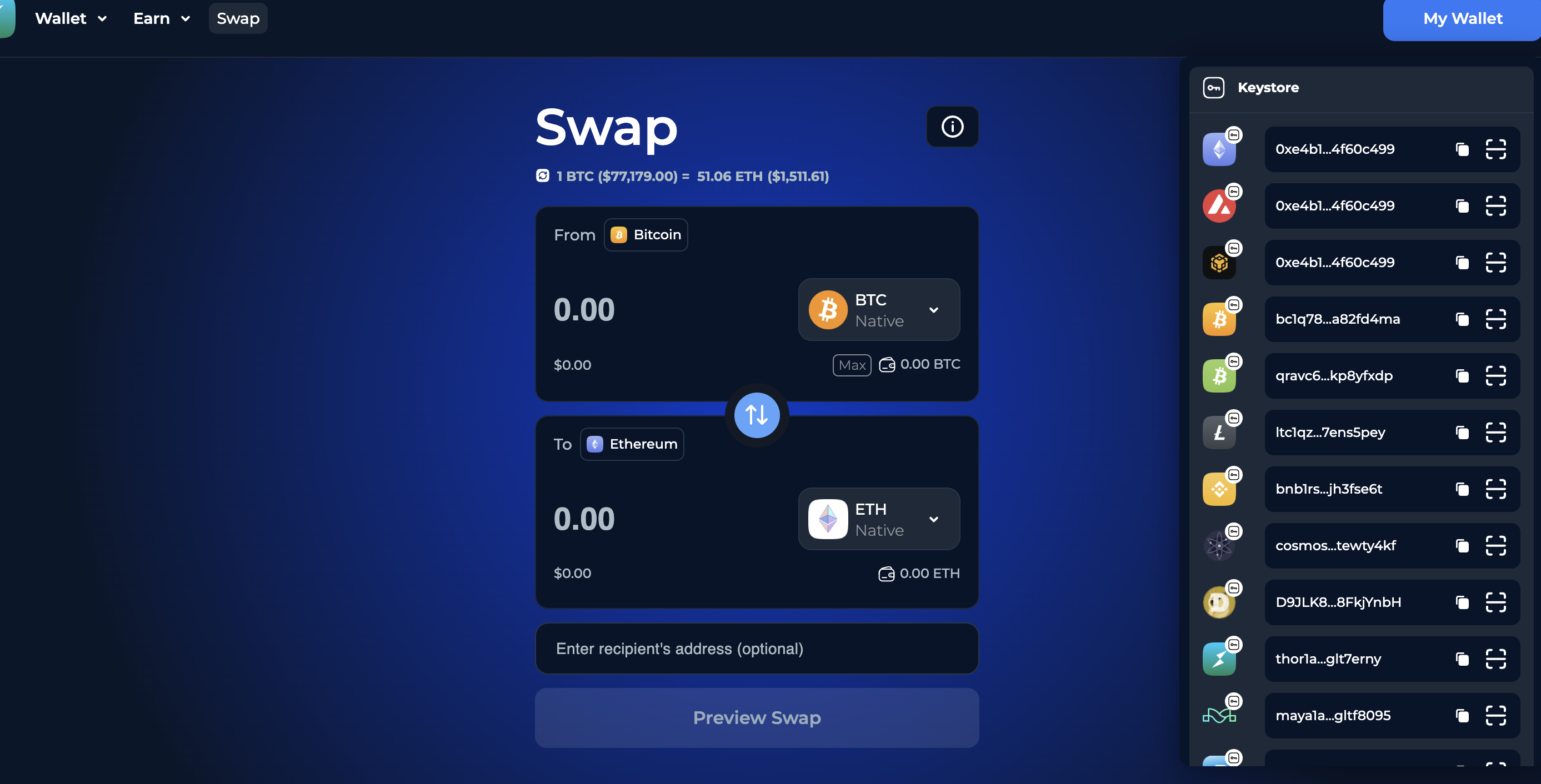
#### The Keystore wallet is now connected to the web app.
Your keystore wallet has been created. You can now connect it to the web app and seamlessly access all its features using your keystore file.